We’ve just released Query Builder 2.0, a significant upgrade to one of the most-used tools in Verify, and it’s now faster, cleaner, and more intuitive than ever before.
The biggest change? Filtering is now lightning fast: no more waiting around to see results, even on large datasets. This release doesn’t just improve speed — it clears away confusion and removes friction from key workflows like Map View, Reclassification, and Resolution Reports.
What’s new in Query Builder 2.0
We rebuilt Query Builder around three goals: speed, simplicity, and getting teams to decisions faster.
Major performance improvements
Filters now apply almost instantly, so you can explore large datasets without lag or timeouts. Whether you’re screening thousands of plots or drilling into a single supplier, results appear in real time.
Clean new UI, built with shared components
We’ve redesigned the interface using shared components across Verify, so the look and feel is consistent and snappier. Less visual noise means more focus on the data that matters.
Smart defaults: one dataset selected on load
When you open Query Builder, it now automatically selects one dataset (the most recently used or most relevant) so you can start filtering right away. No more manual selection before you can even begin.
Context-aware filters
Filters are now smarter: only relevant options appear based on the selected dataset and commodity, reducing clutter and helping avoid mistakes when building queries.
Cleaner table view
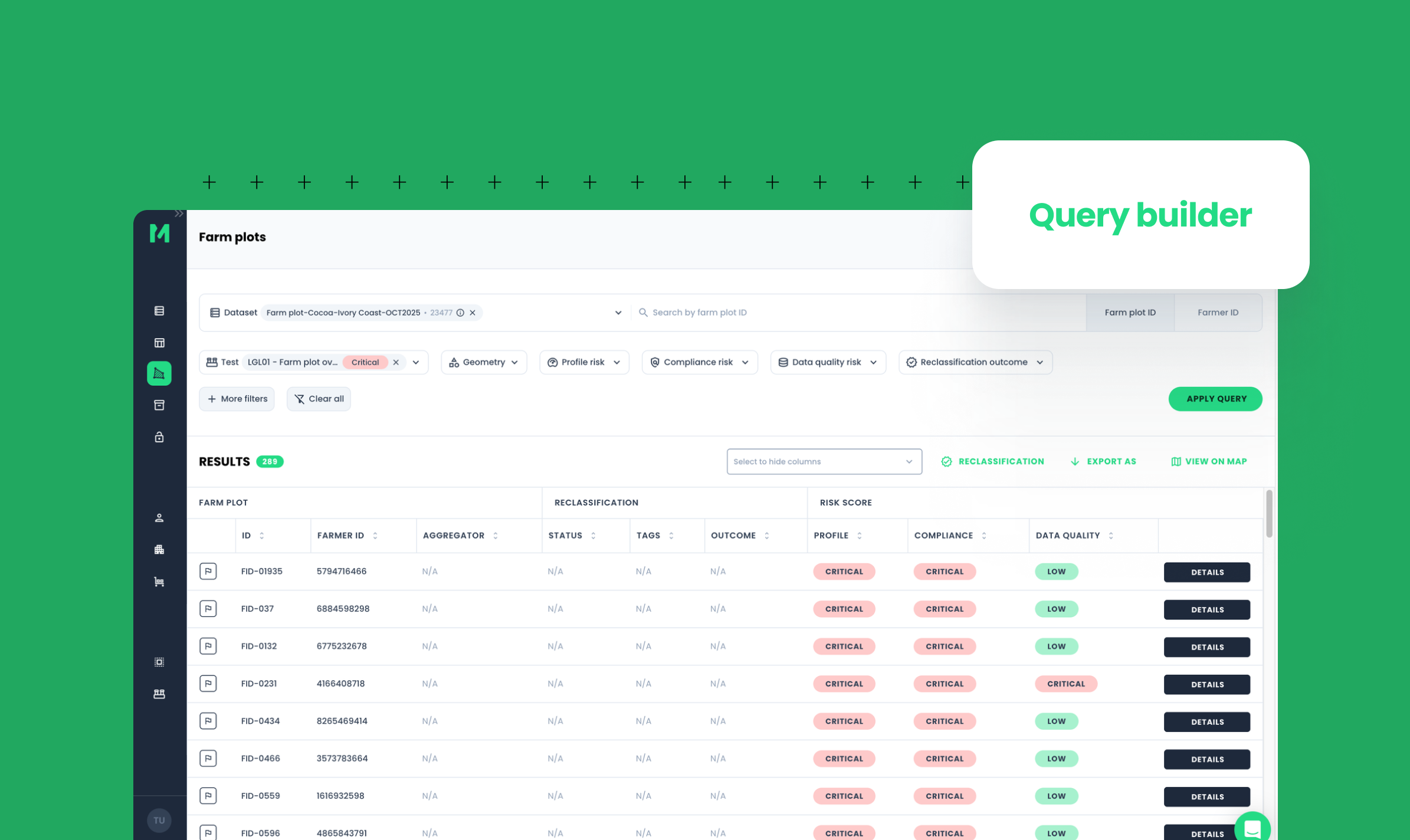
Dataset metadata and information are now hidden by default and shown only when needed. This keeps the results table focused on farm plots, risk scores, and key fields.
Key actions front and centre
Actions such as Map View, Reclassification, Export, and Resolution Report are now more prominent and easier to access, which makes it faster to move from screening to action, whether you’re mapping plots or generating reports.
Search by ID: paste multiple values
You can now paste a list of farm or supplier IDs (e.g., from a spreadsheet) directly into the ID search field. This makes it much faster to target specific plots for investigation or reclassification.
Why this matters for EUDR and DCF compliance
Speed and clarity are critical when managing large, complex supply chains to ensure EUDR compliance and meet DCF commitments. With Query Builder 2.0, teams can:
- Screen more plots in less time, without waiting for filters to load.
- Quickly isolate high-risk suppliers and farm plots for deeper due diligence.
- Move seamlessly from screening to Map View, Reclassification, and Resolution Reports, all within a single, consistent workflow.
- This means faster risk identification, clearer audit trails, and more time to focus on engagement and remediation — not wrestling with slow tools.